Planning a trip to India? The Indian eVisa is quick to apply for, but there are details and common mistakes worth knowing. This guide covers approval times, requirements, entry points, fees, and useful tips from my own experience. To make it even more helpful, I’ve also added troubleshooting advice, practical travel tips, and key warnings travelers often miss.
Table of contents
What Is the Indian eVisa?
The Indian eVisa allows eligible travelers to apply online without visiting an embassy. Once approved, you’ll receive your visa electronically, which you must print and carry when traveling.
For tourists, there are three types of eTourist visas:
- 30 days (most popular)
- 1 year
- 5 years
This article focuses mainly on the 30-day eTourist visa, which is a double-entry visa, suitable for most short-term trips.
Indian eVisa fees
E-tourist visas are available for 30 days, 1 year (365 days), and 5 years. Fees for most eligible countries are listed below:
- 30 days (April – June): 10 USD
- 30 days (July – March): 25 USD
- 1 year (365 days): 40 USD
- 5 years: 80 USD
Check the full list of country-specific fees here: E-tourist visa fee list.
Indian eVisa application timeline (How long it takes)
- Official guidance: Allow up to 72 hours (3 days) for processing.
- Reality check: Most visas are approved within 24 hours if applied on weekdays. This has been true for me and most of my friends, especially those who had visited India before — though occasionally it can take the full 3 days.
- Best practice: Apply at least 1 week before your trip to avoid last-minute stress.
Good to know: The 30-day validity only starts when you actually enter India and get stamped at immigration. You can safely apply 2–3 weeks before your trip — the countdown begins from the date you arrive, not the date on the visa.
Special note for 30-day eVisa
- You must apply within 30 days of arrival.
- The system won’t let you apply later than 4 days before your trip (these dates will be greyed out).
Practical experience: If you are in a hurry and need to fly within 4 days, there is still a way to apply. When the visa is approved early, you can enter the country from the approval date, not necessarily the date you chose when applying. I once encountered this situation: my flight was on the 22nd, but when I remembered to apply for the eVisa, the system only allowed me to choose the 26th. Luckily, the visa was approved within 24 hours and was dated the 23rd, so I could fly the next day — although I still had to postpone my flight by 1 day. So it is best to still apply at least 1 week before the trip to be safe.
Indian eVisa entry points
You can only enter India with an eVisa through 31 designated airports and 5 seaports.
Airports include: Ahmedabad, Amritsar, Bagdogra, Bengaluru, Bhubaneswar, Calicut, Chennai, Chandigarh, Cochin, Coimbatore, Delhi, Gaya, Goa, Mangalore, Mumbai, Nagpur, Port Blair, Pune, Tiruchirapalli, Trivandrum, Varanasi, Visakhapatnam, Lucknow, Jaipur, Hyderabad, Ranchi, Patna, Madurai, Trichy, Bhuj, Dehradun, Srinagar, Imphal.
Seaports include: Cochin, Goa, Mangalore, Mumbai, Chennai.
Note: If you intend to enter at an airport or port not listed above, eVisa will invalid.
Indian eVisa requirements (documents & photos)
Prepare these before starting your application:
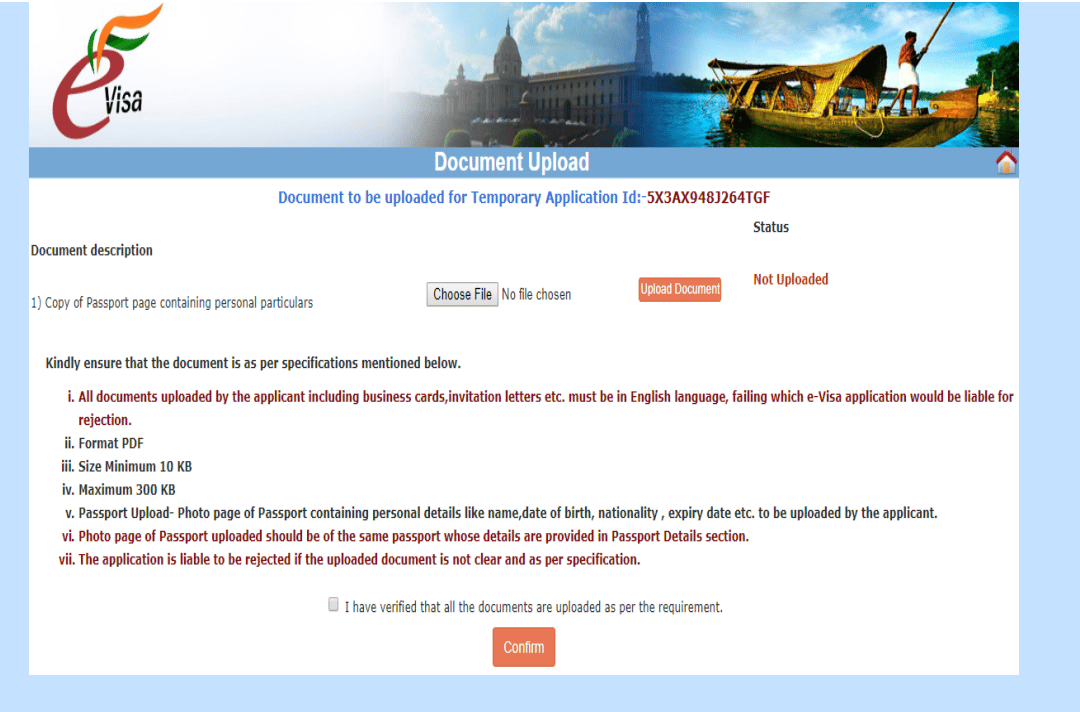
- Passport photo page
- Size: 10 KB – 300 KB
- Must be clear and valid for at least 6 months, and have at least 2 blank pages because the eVisa details (ID and validity dates) will be stamped on your passport.
- Recent portrait photograph
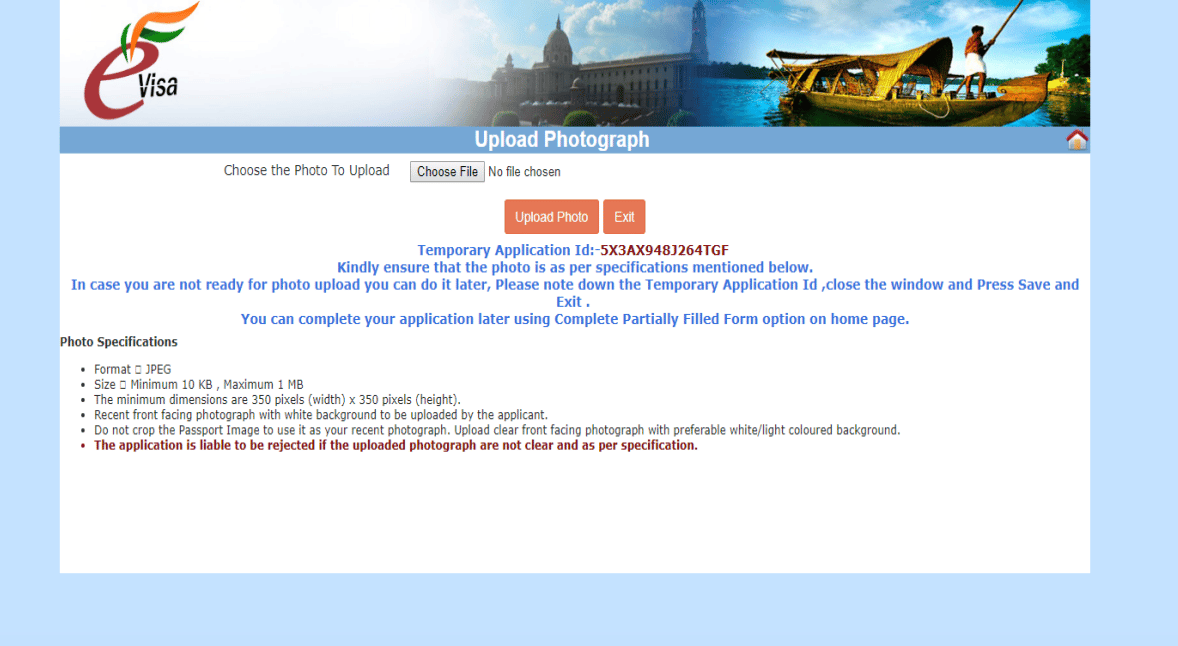
- White background, full face visible, no spectacles.
- Size: 10 KB – 1 MB
If your files are too large, you can resize them with free tools like– pdfresizer.com or smallpdf.com.
- Previous travel details (if applicable)
- Old visa number (if you’ve visited India before)
- Previous address in India (could be the hotel or city you stayed in)
- Address of stay in India
- You’ll need to provide the address of the place you’re staying in India (hotel, Airbnb, friend’s home). Immigration officers will ask for this at the border gate.
- Reference contacts
- In India: Name, phone number, and address of someone you know or hotel where you will stay.
- In Vietnam: Name and address of a reference person.
Step-by-step: How to apply for an Indian eVisa
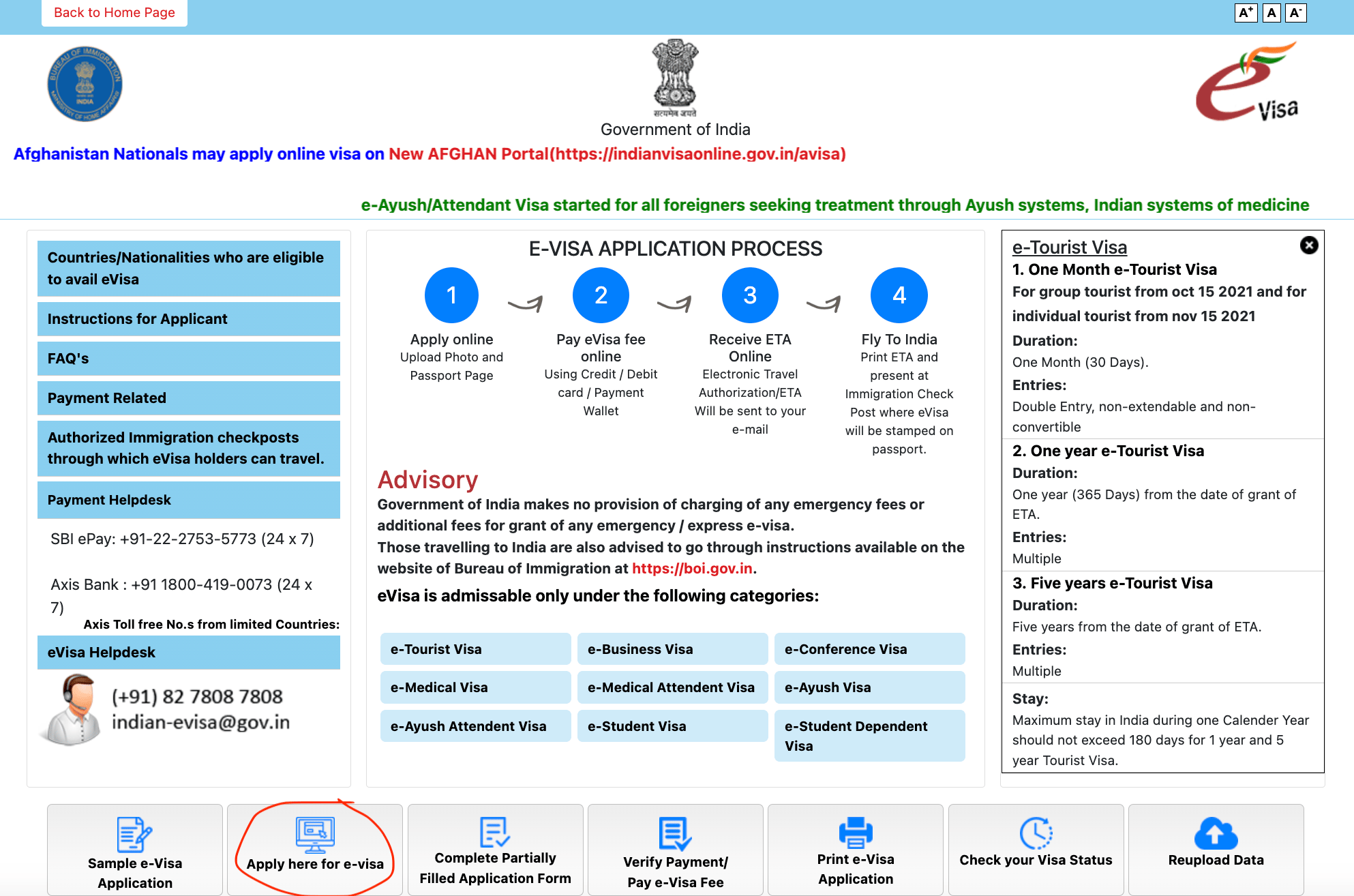
- Visit the official portal: https://indianvisaonline.gov.in/evisa/tvoa.html.This is the official government website. Avoid third‑party ads at the top of Google search results — they cost more.
- Click on “Apply here for e-visa”.
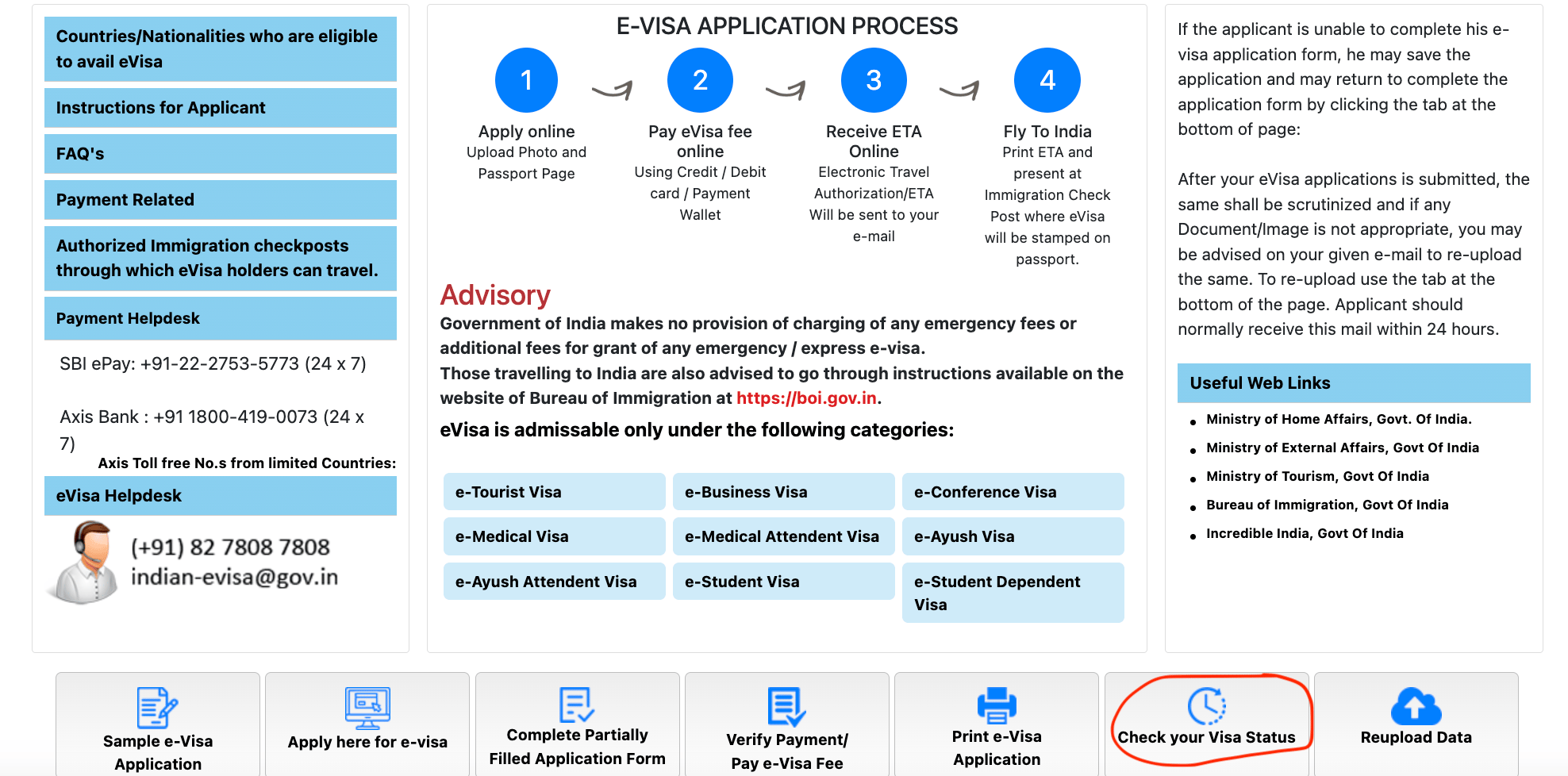
You can always come back to this page to complete your partially filled application form and check your visa status.
2. First page
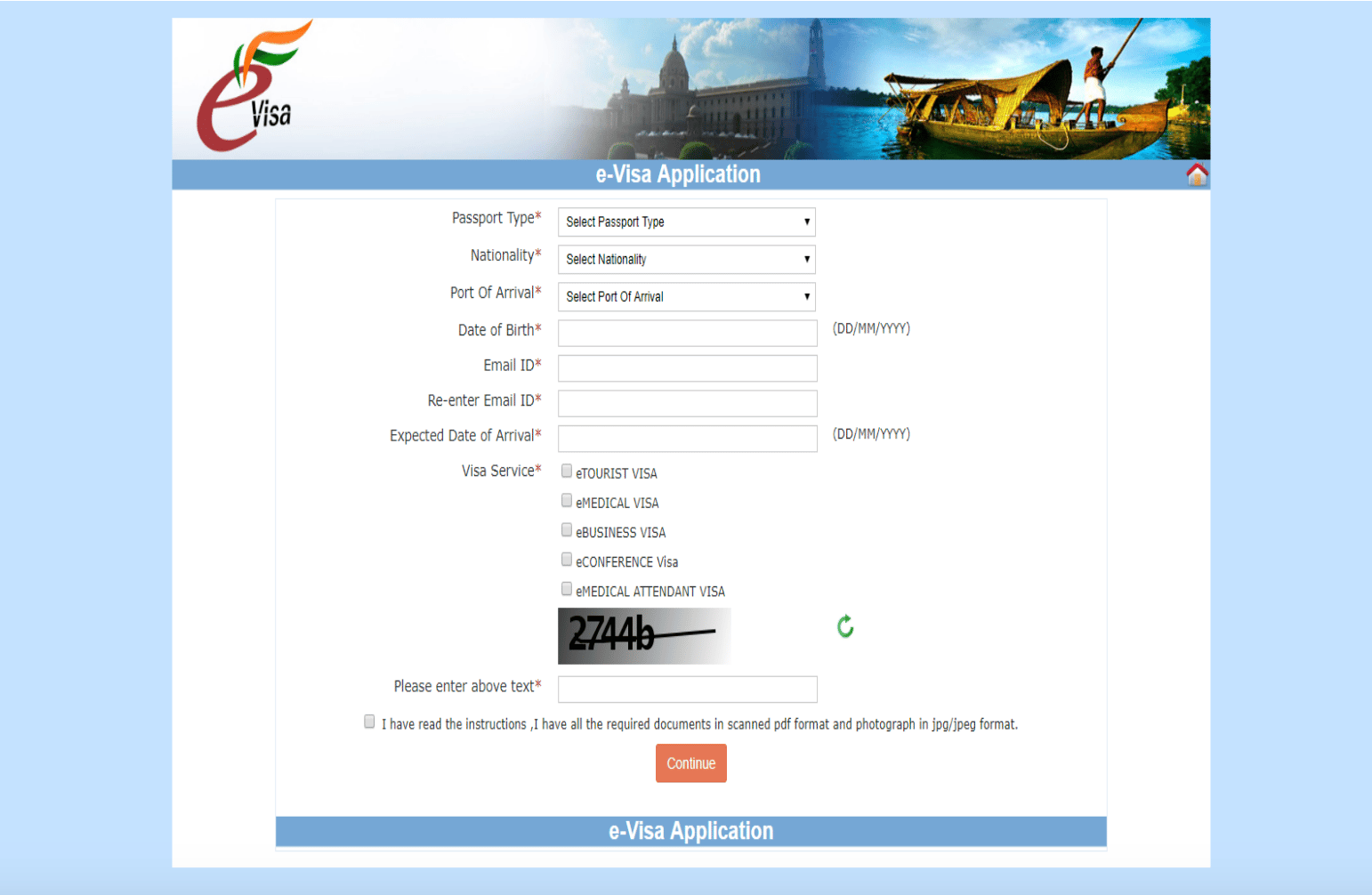
- Select Ordinary Passport, visa type eTourist Visa, and select port of entry (the first airport or seaport you arrive at).
- Enter your email address.
- Once you finish this page, you’ll receive a temporary application ID by email (valid for 7 days). Note it down in case you lose internet or need to log back in.
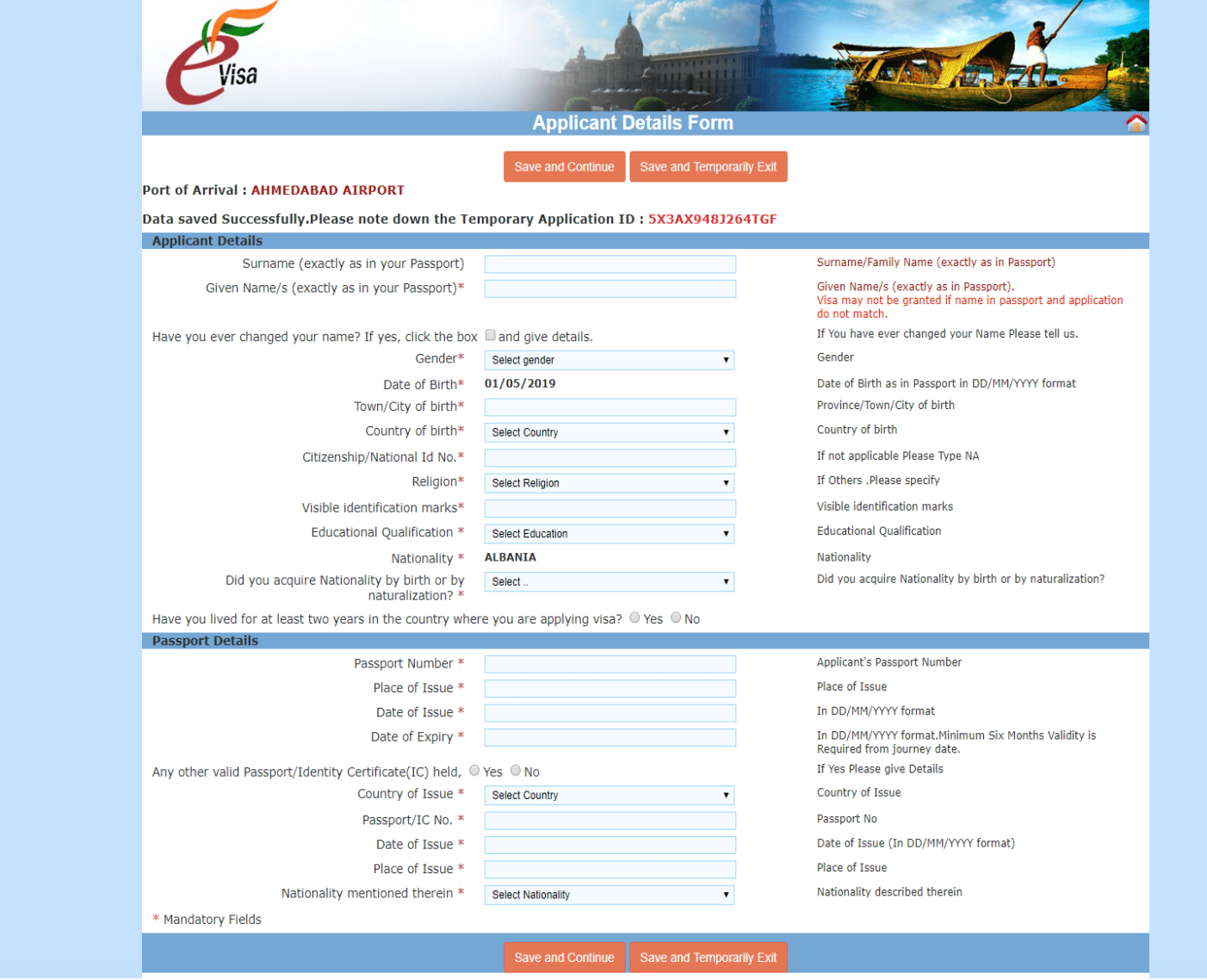
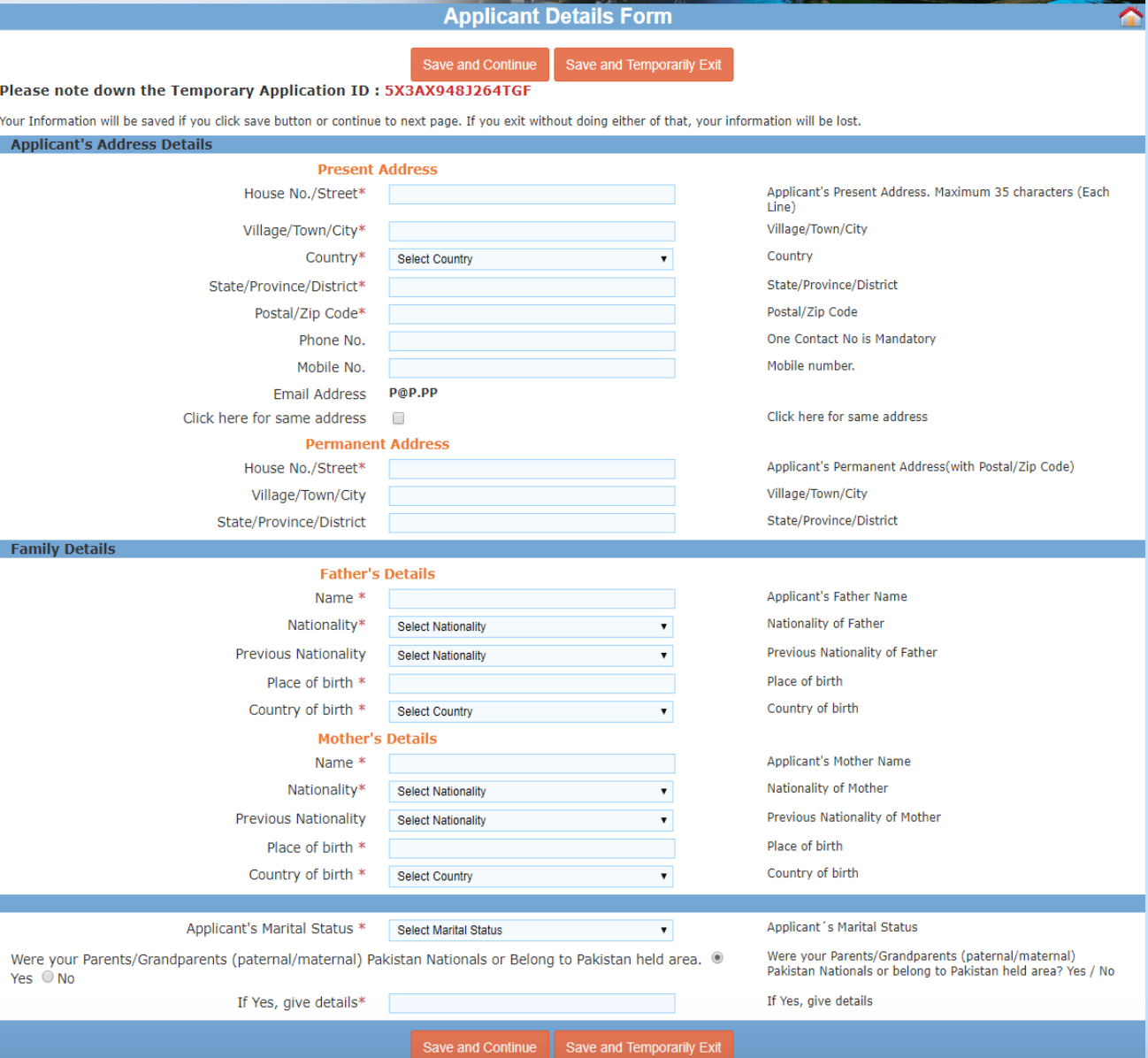
3. Second & third pages
- Fill in personal details, addresses, parents’ names, passport information, and (if applicable) national ID.
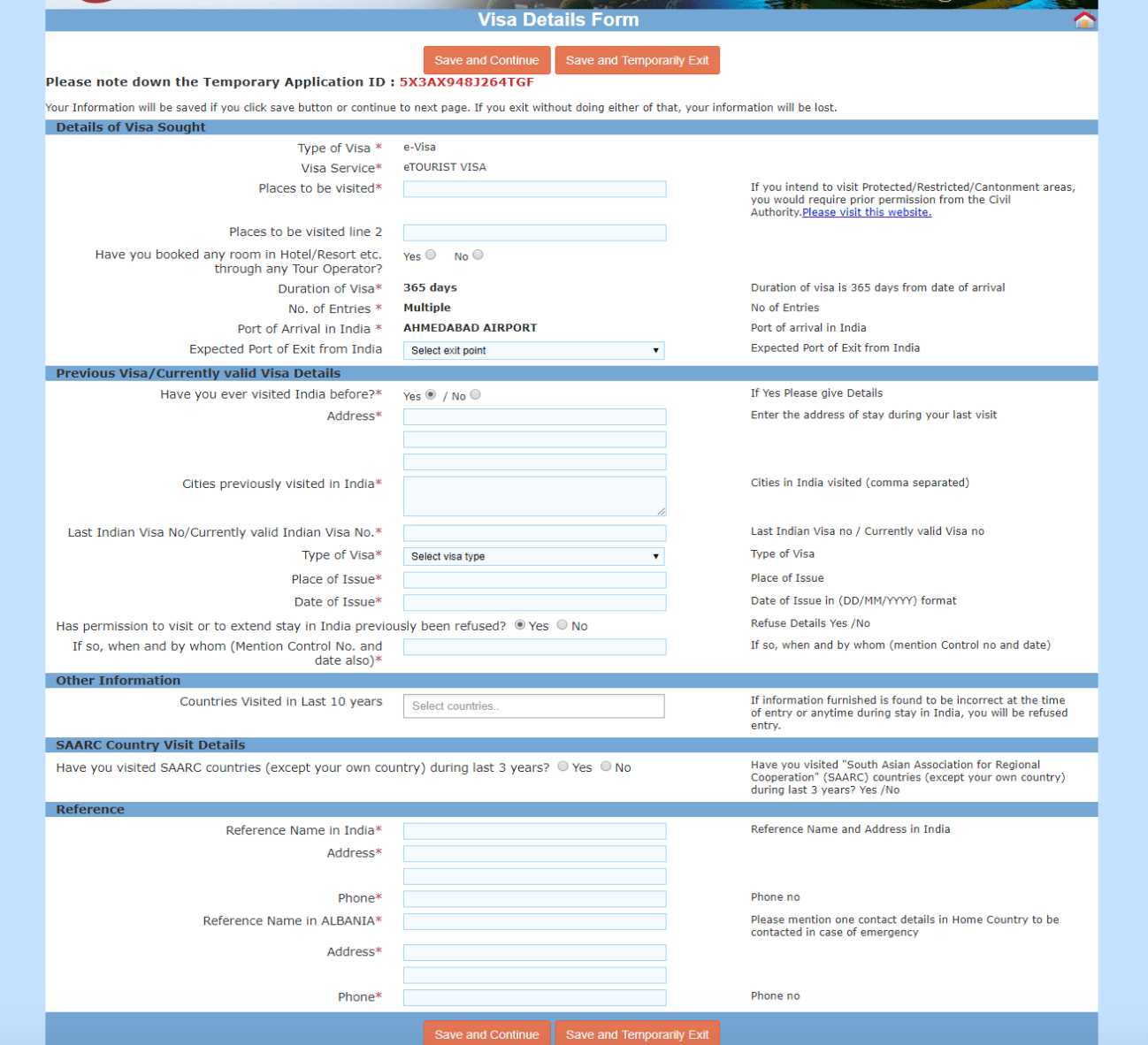
4. Fourth page
- Answer questions about previous visits to India.
- Provide your previous address in India (hotel or city is fine if you can’t remember exact details).
- Enter your old visa number if you have it (check your email or old passport). If not, many people use “N/A” or “0000”.
- Add countries visited in the last 10 years (optional, partial list is okay).
- Answer whether you’ve visited SAARC countries (Afghanistan, Bangladesh, Bhutan, Maldives, Nepal, Pakistan, Sri Lanka) in the last 3 years.
5. Fifth page
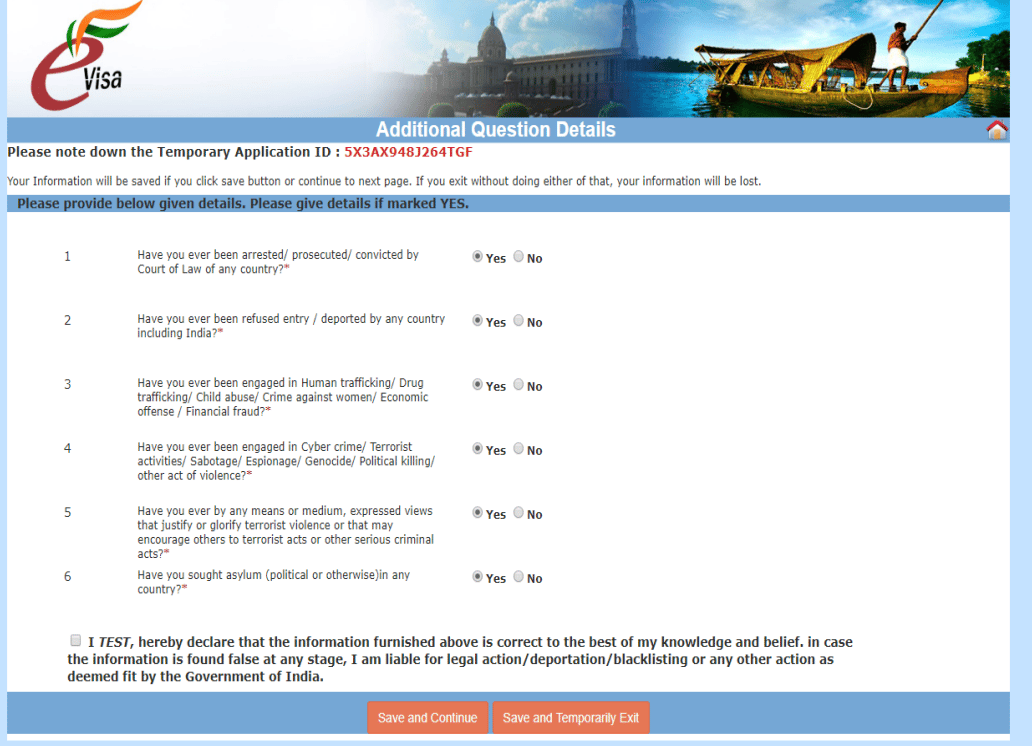
- Answer questions about criminal records, deportation, etc. Be careful — some are pre-ticked as “Yes.” Change them to “No” if they don’t apply.
6. Sixth & seventh pages
- Upload a recent passport photo and a scan of your passport photo page. Make sure they follow the size/background rules.
7. Eighth page
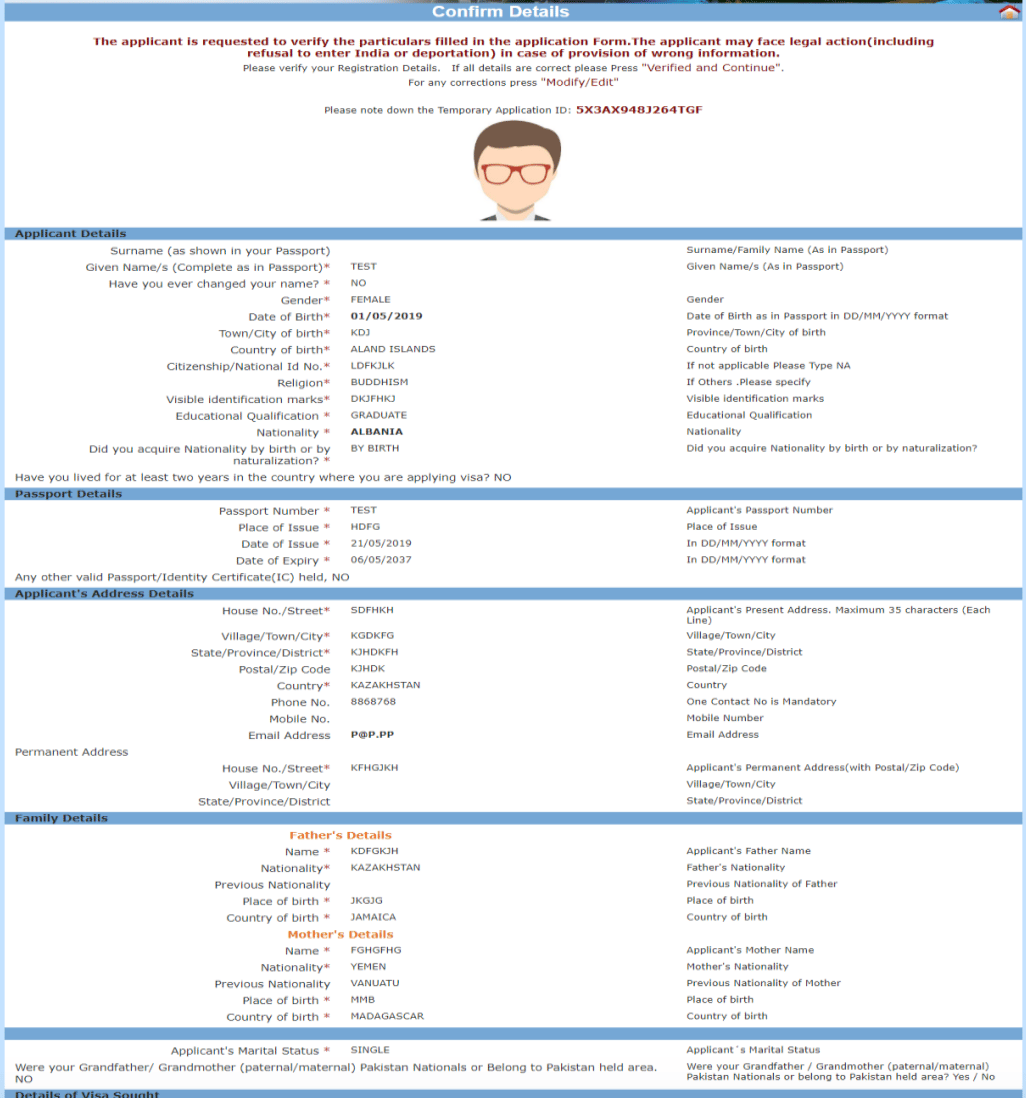
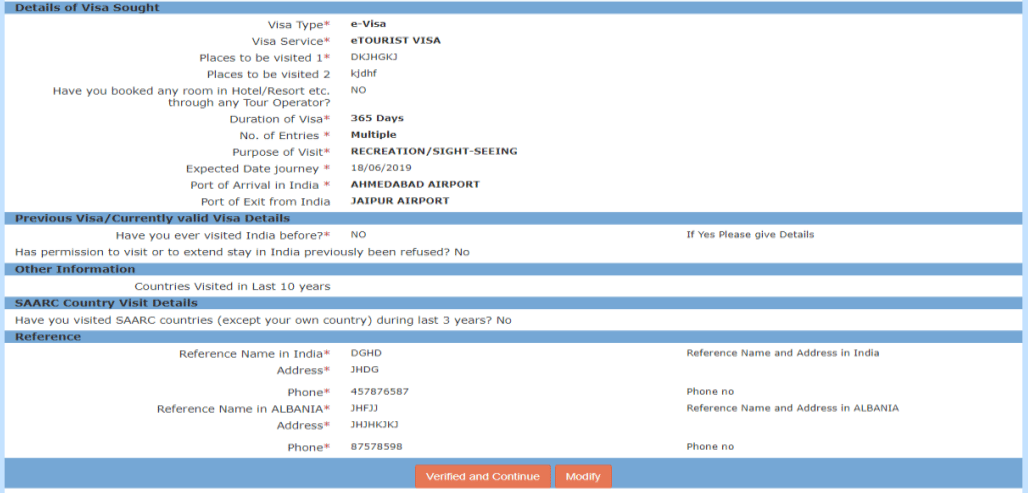
- Review all your details carefully. You can save and pay later, or proceed straight to payment.
8. Ninth & tenth pages
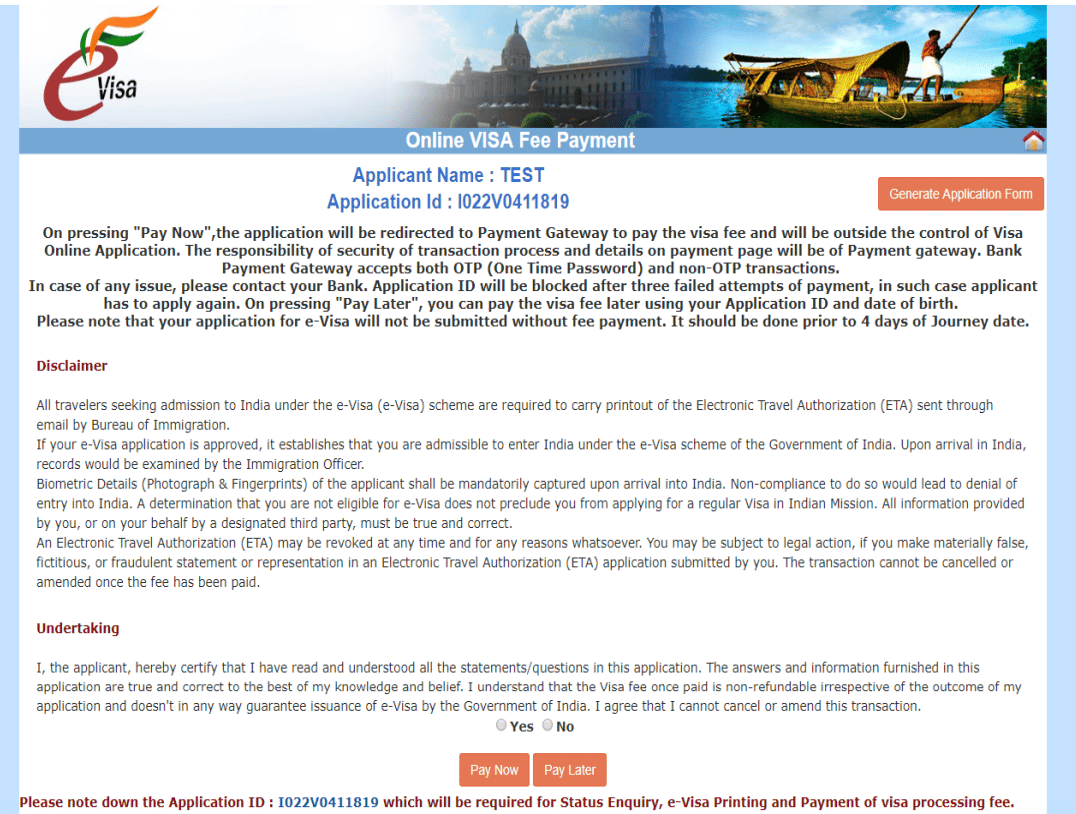
- Disclaimer and declaration, followed by payment.
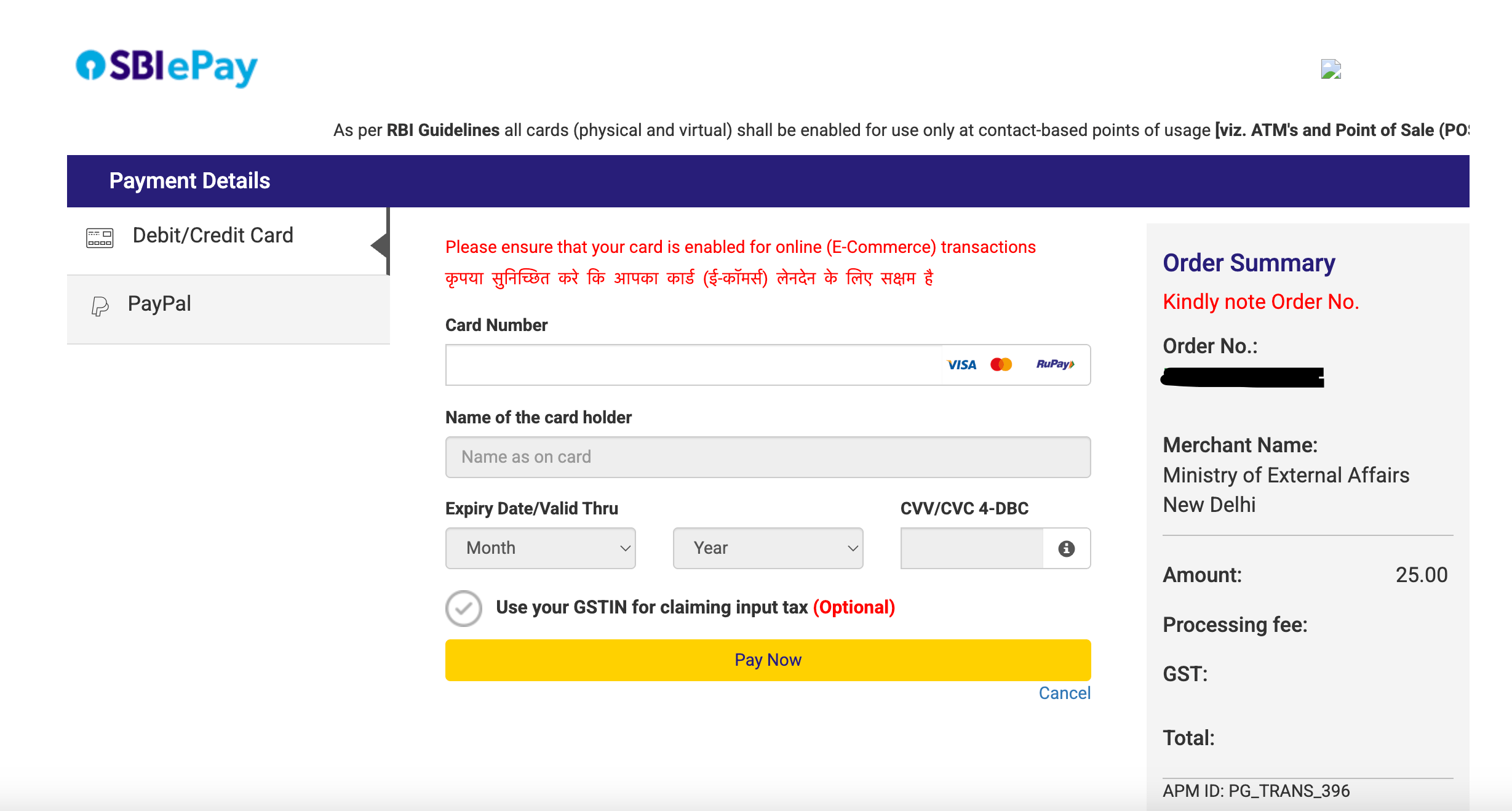
- You’ll see two options: PayPal and SBI ePay. Choose SBI ePay for card payments.
- Choose SBI ePay for card payments. From my own experience: debit cards work better than credit cards. Revolut has been the most reliable for me (no weekday fees).
9. After payment
- You will receive a confirmation email with your Application ID.
- When your application is approved (usually within 24 hours to 3 days), the email will say “GRANTED.” But that email is not your visa.
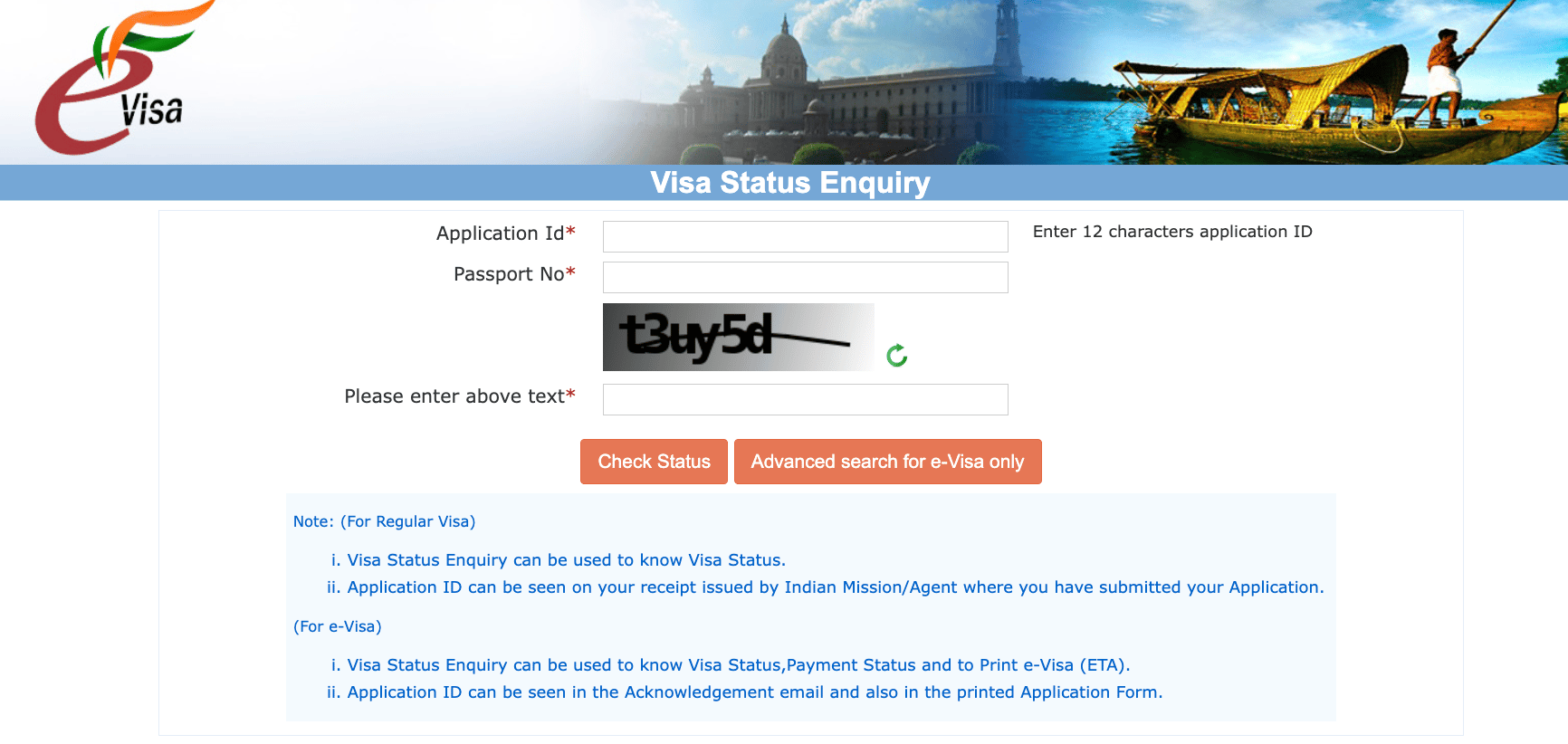
- To get your actual visa (called the ETA PDF), either click the link in the approval email to the official Indian website, or go to the official Indian government website. Enter Application ID + passport number + captcha, then select Print Status to download. Make sure to save and print this PDF — that’s your official eVisa.
After approval: Printing your eVisa
- You must print your eVisa and bring it with you (either black and white copy or colored copy is fine).
- If you’re in the UK, a cheap way is to print at your local library.
What happens at the airport in India
Arrival
When you land, keep your passport, printed eVisa (ETA), and arrival card (handed out on the plane or available at the immigration counter) ready. Officers will also ask for the address of your stay in India, so note it down in advance. Your passport will be stamped with the visa validity — make sure you have at least 2 blank pages available.
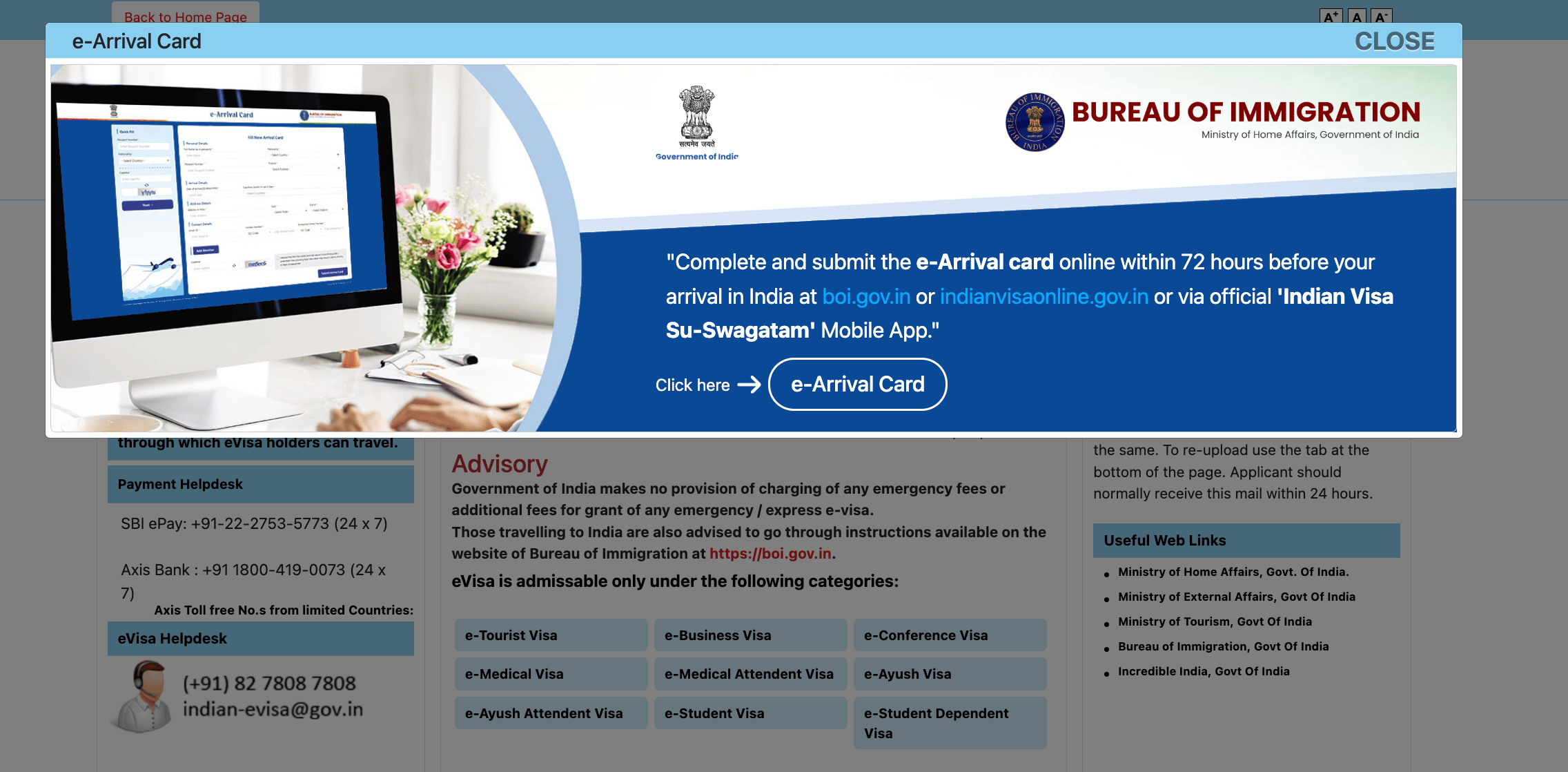
Recently, India has allowed the submission of the online arrival declaration (e-Arrival Card) before arrival. You can complete and submit this form within 72 hours prior to entering India through the official website, or via the mobile app “Indian Visa Su-Swagatam.”
Filling it out online in advance helps you save time at immigration, as you won’t need to complete a paper form upon arrival. The online form asks for basic details such as:
Passport number and visa type,
Flight details,
Address of stay in India,
A few standard health and declaration questions.
If you don’t manage to fill it out beforehand, you can still do it at the immigration counter on arrival — but completing it online will make the process faster and smoother.
Internet / WiFi
Most Indian airports offer free WiFi, but it usually requires an Indian mobile number for OTP verification — which doesn’t work for most foreigners.
- Mumbai (2025): I saw kiosks and got a voucher from the information desk to access WiFi.
- Chennai, Delhi, Bengaluru: No internet for foreigners without an Indian SIM (as of my visit).
To avoid the hassle, download your hotel details, maps, and eVisa before flying. An eSIM (e.g. Revolut) or data roaming works well, and SIM cards are also sold at the airport if you prefer to get connected on arrival.
On departure
Leaving India involves stricter security than in many other countries, with multiple checks along the way:
ID and boarding pass check at the terminal entrance
Baggage screening
Passport control and boarding gate checks
Laptops must be removed, and liquids follow the 100ml rulePlan to arrive at least 3 hours before your international flight, as queues can move slowly at busy airports.
Common mistakes & tips (to avoid rejection)
- Wrong photo format — too big, too small, or not a white background.
- Mismatched passport details (double-check spelling).
- Applying too late (always leave buffer days).
- Forgetting old visa info, previous address, or reference contacts (have past records handy).
- Not printing the visa (immigration officers expect a paper copy).
Troubleshooting & warnings
- Payment failed? Try with a different card, ideally a debit card. Clear your cache or use another browser.
- Website crash? Save your application ID and re-login later.
- Application stuck? Contact the support email on the official website—sometimes it’s just a delay. If you have a friend or contact in India, asking them to call can be more effective.
- Don’t overstay your visa. Fines and bans are severe if you exceed the validity period.
- Always check the latest rules. Visa regulations can change quickly; confirm on the official site before applying.
- If you haven’t completed payment yet and run into issues with the website, you can create a new application and start again. (Last resort)
Indian eVisa FAQ
How long does it take to get an Indian eVisa?
Usually within 24 hours on weekdays, but allow up to 3 days. Apply at least 1 week before your trip.
Do I need to print the Indian eVisa?
Yes, print a copy (black and white is fine). Digital-only copies are not recommended.
Can I enter any airport in India with eVisa?
No, you are only allowed to enter through 31 approved airports and 5 seaports.
What if my payment doesn’t go through?
Try again later with a debit card (they work better than credit).
What if my application gets stuck?
Contact the support email or 24/7 hotline. If you know someone in India, ask them to call on your behalf.
The website crashed, what should I do?
Just log back in with your application ID and continue.
If all of the above fails?
As a last resort, if you haven’t paid yet, you can create a new application and submit again.
What if my intended arrival date is less than 4 days away?
The system won’t let you select dates fewer than 4 days ahead. But if your visa is approved earlier than the date you picked, the start date will automatically adjust, and you can enter India from that approval date.
The Indian eVisa process is straightforward once you know the requirements — but the small details (photo sizes, payment issues, printing, references, WiFi challenges, and entry rules) can trip travelers up. Apply early, carry backups, and your journey into India will be smooth and stress-free.
If you prepare all the documents, submit them early and print out your eVisa, your trip to India will be smoother and less stressful. Remember to double check the information before your trip and follow the instructions on the official website to avoid unnecessary trouble.
Heads up: This info was last updated in October 2025. Rules for entering India can change, so it’s a good idea to double-check the official sources before you go.